

 1.3 RATE AND REVIEW ON IOS DEVICES
Step 1: Access App Store on your iOS device.
Step 2: Type and search for the name of the app that you wish to rate.
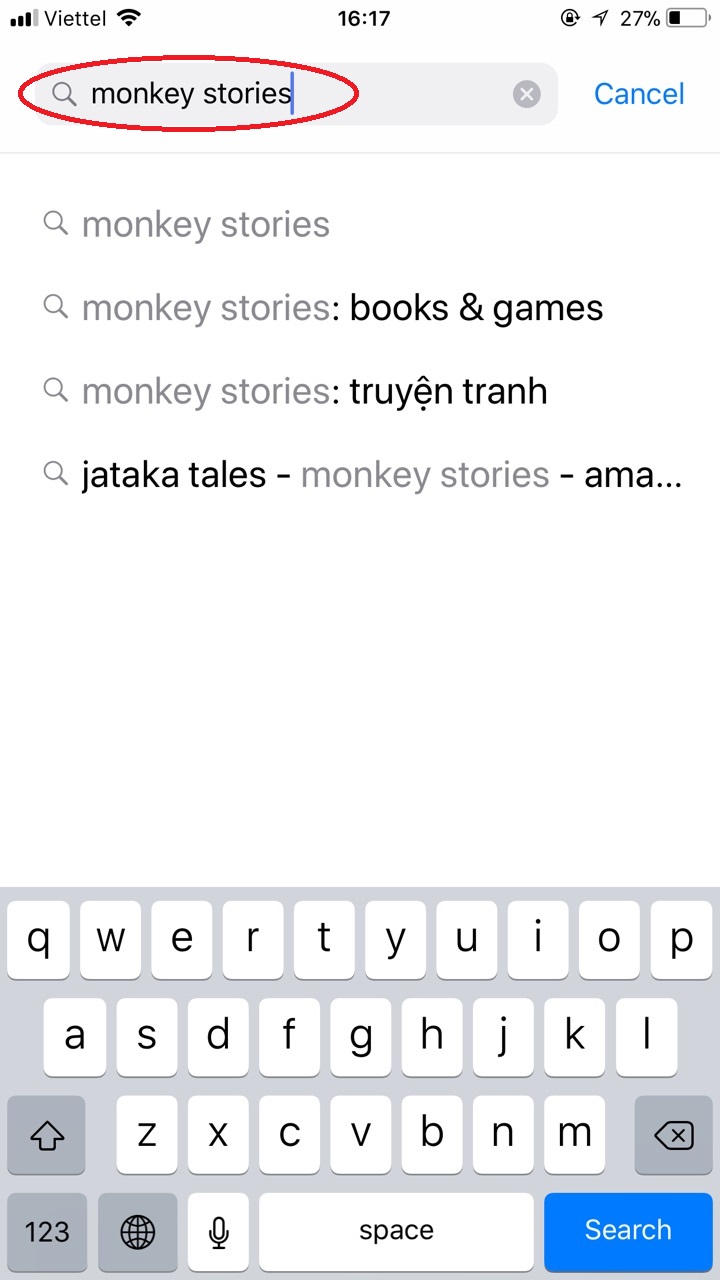

E.g., searching for Monkey Stories app
Step 3: Tap the app with the logo of a monkey reading book. Tap on “Reviews”.
.jpg)
E.g., reviewing Monkey Stories app
Step 4: Tap on “Write a review”.
Case 1: If you have never rated an app on App Store:
Step 1.1: Enter a password for your Apple ID into the blank space, then tap “Sign In”.
.jpg)
Step 1.2: Provide all information as follows:
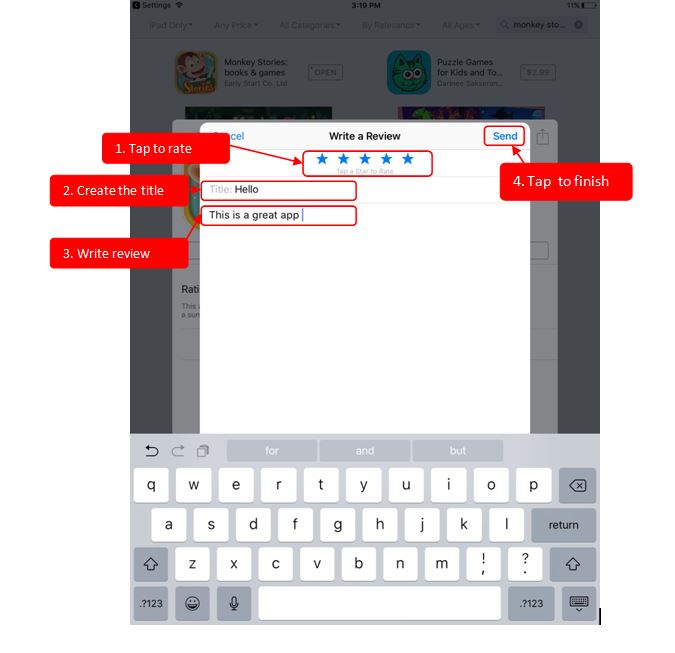
Step 1.3: Create a nickname, then tap “OK”.
.jpg)
Case 2: If you have once rated an app on App Store:
With those simple steps, you have successfully rated and reviewed the apps of Early Start JSC., on App Store.
Your review will be the great encouragement for us to improve and develop the apps better in the future.
Thank you very much!
 2.3 RATE AND REVIEW ON ANDROID DEVICES
Step 1: Access Google Play on your Android device.
Step 2:Type and search for the name of the app that you wish to rate.
.jpg)
E.g., reviewing Monkey Stories app
Step 3: Tap the app you wish to review, scroll down to find the section “Rate this app”.
.jpg)
E.g., reviewing Monkey Stories app
Step 4:Tap the star rating you wish to give our app. Tap “Send”, write a review, then tap “Finish”.
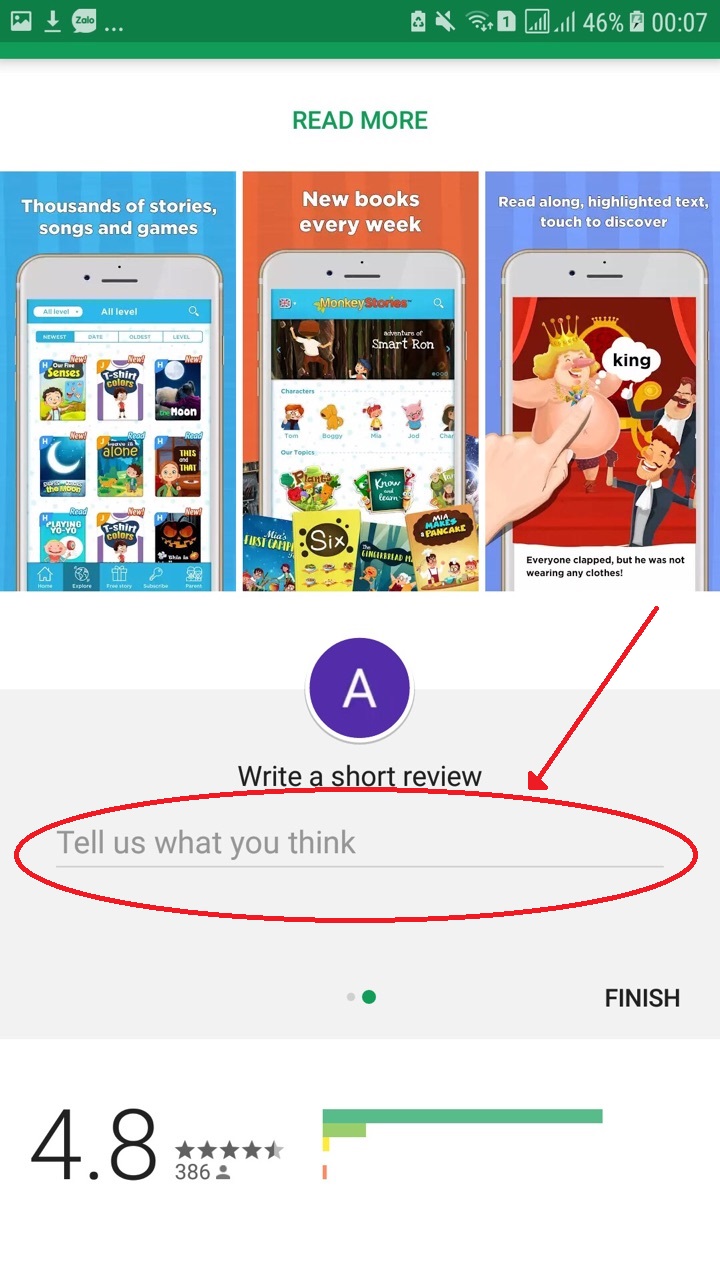
With those simple steps, you have successfully rated and reviewed the apps of Early Start JSC., on Google Play.Your review will be the great encouragement for us to improve and develop the apps better in the future.
Thank you very much!



.png)

.png)